| Content | Once Convergence printer application folder structure loaded and configured on the computer.
- Go to IE internet options-> security tab
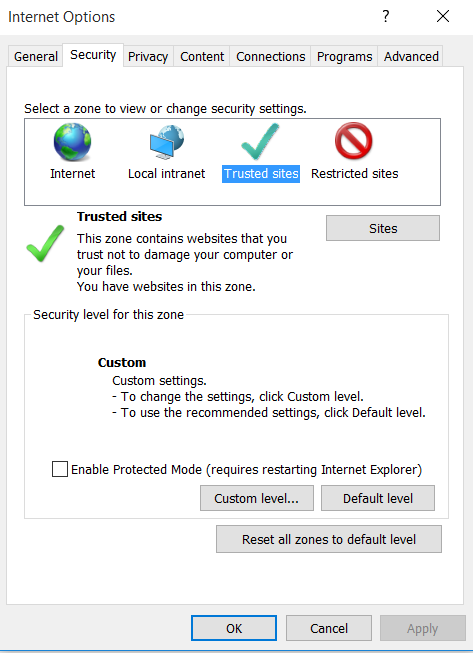
Click on Trusted sites- Sites Button
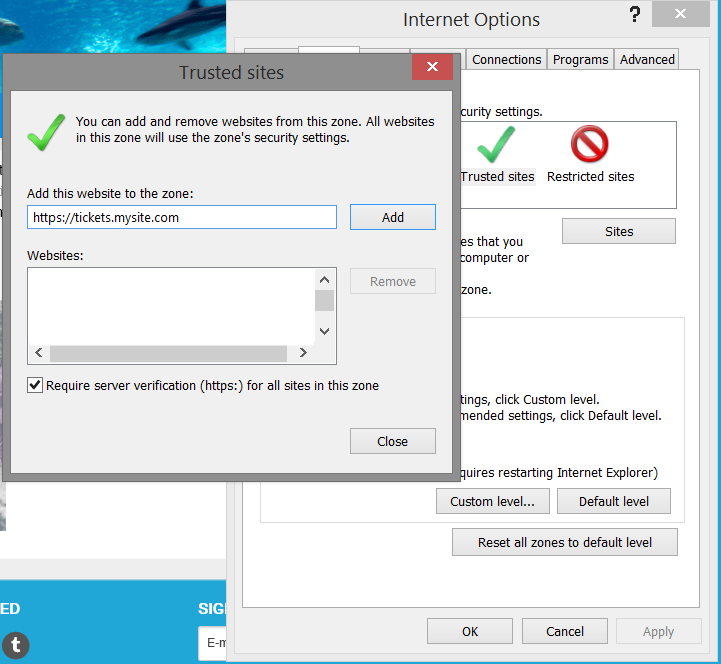
Add your site eg: https://tickets.mysite.com to this zone by clicking Add Button:
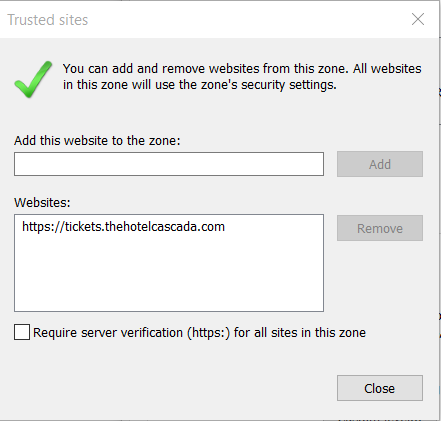
4. Hit Close.
5. On security level for this zone click Custom Level:
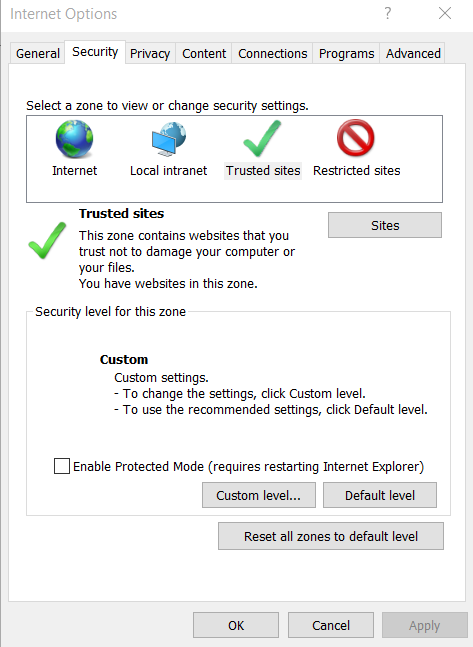
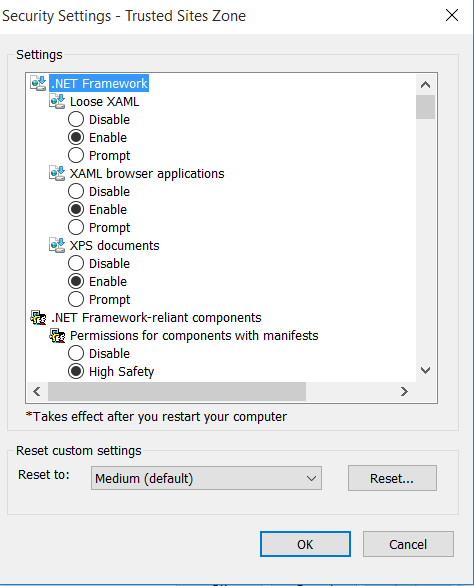
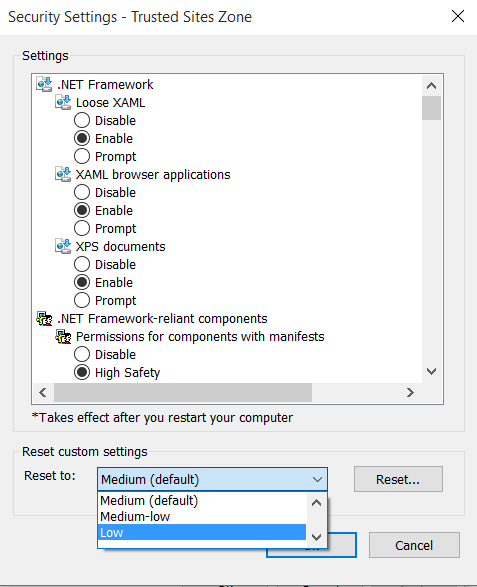
6. Reset custom settings to Low by selecting it from drop down and clicking Reset button:
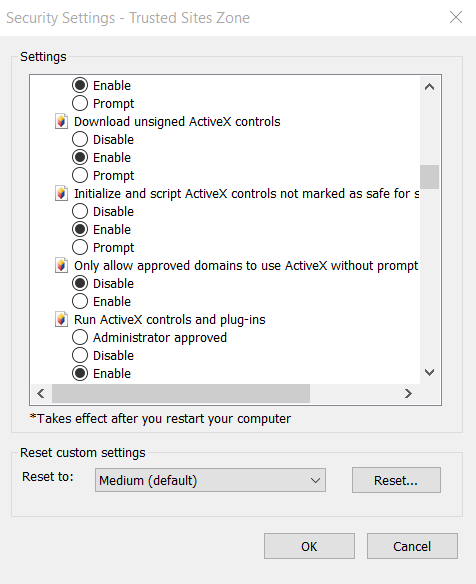
7. In the settings area scroll down to the setting for ‘Download unsigned ActiveX controls’ and Click Enable button
7.1 In the settings area scroll down to the setting for ‘Initialize and Script ActiveX controls not marked as safe for scripting’ and Click Enable button
8. Click OK
10. Lastly, go to the Privacy tab and click the Sites button
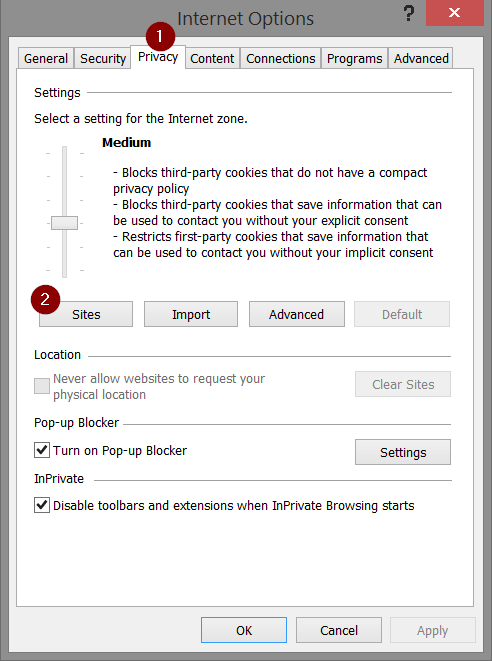
10. Enter the domain of your ticketing site. E.g. mysite.com and click Allow
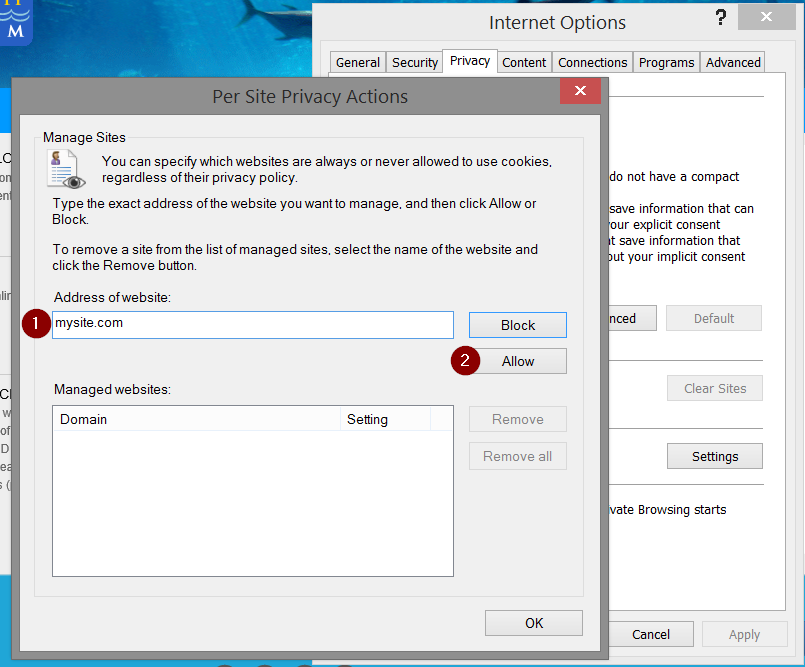
10. Click OK on the bottom right for both of the windows
9. All Done! |
|
|---|


